Set Subscriber Passwords
Overview
The Set Subscriber Passwords tool allows administrators to change subscriber passwords in bulk based on a CSV file import. This can be useful for setting passwords after a 2.x to 3.x migration or after a large import of user where you don’t want to leave the mailboxes configured with the default phone password settings.
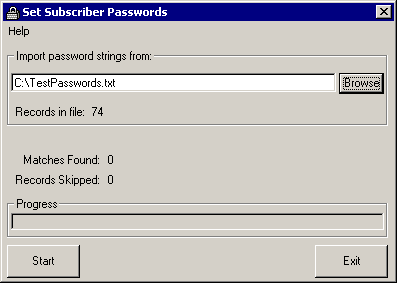
The tool reads from a straight text file and is only interested in two values: The extension number of the subscriber and the new password you want to set for that subscriber. The CSV file must have the first row configured with one column titled “Extension” and one column titled “Password”. It can contain other columns but they will simply be ignored. All passwords and extensions must be digits only. The following is a small sample file that will be successfully parsed by the Set Subscriber Passwords tool:
Extension, Alias, Password
1189, jlindborg, 873341
1719, jsmith, 234123
1422, jdoe, 240709
The “Alias” column will simply be ignored in this case. The extension number for the subscriber must be their primary extension, not one of the alternate extensions you can provide in 3.0(1) and later. If the primary extension is not found in the database, the record is skipped and a note is made in the output log. IF the extension or the password are not all digits, the row is skipped and a note is made in the output log.
NOTE: If the first row of the file indicating which column holds the Extension and which holds the Password field is missing entirely or does not contain one or both of those fields, the file is considered invalid and it will not be allowed for inport.
Requirements/Special Notes
This tool will work on any version of Unity from 2.4.6(102) through 4.0(x).
This tool must be run on the Unity server itself, it cannot run “off box”
It’s best to be logged in as the account associated with the AvCsMgr account to ensure you have rights to bind to the Unity DOH properly which is necessary to change passwords
Obtaining Updates
To check for updates
to this tool, visit http://www.ciscounitytools.com/
Revision History
Version 1.0.56 – 8/27/2003
 Updated resource strings and copyright
information.
Updated resource strings and copyright
information.
Updated version of TDRT.EXE in the setup package
Version 1.0.53
Fixed problem with bogus error message regarding
passwords and/or extensions not being all numbers in the CSV file.
Version 1.0.50
Fixed problem with record counts not being reset
if you open multiple files in one session
Added better error dialogs if the tools is run
off the Unity server or with an account without rights to bind to the DOH at
startup
Fixed various spelling errors here and there
that were reported. VB needs a
spell checker in a big way.
Fixed some problems with the
“skipped”, “found” and “records in file”
counts not being accurate in all cases.
Version 1.0.34
First public release of tool
© 2002 Cisco Systems, Inc. -- Company Confidential